
Voice memos you can find again.
StillMemo records, writes down what you said, and keeps your notes and bookmarks next to the audio. The transcript is made on your iPhone.
Coming soon to the App Store
Free. No account, no ads. iPhone with iOS 26.1 or later.

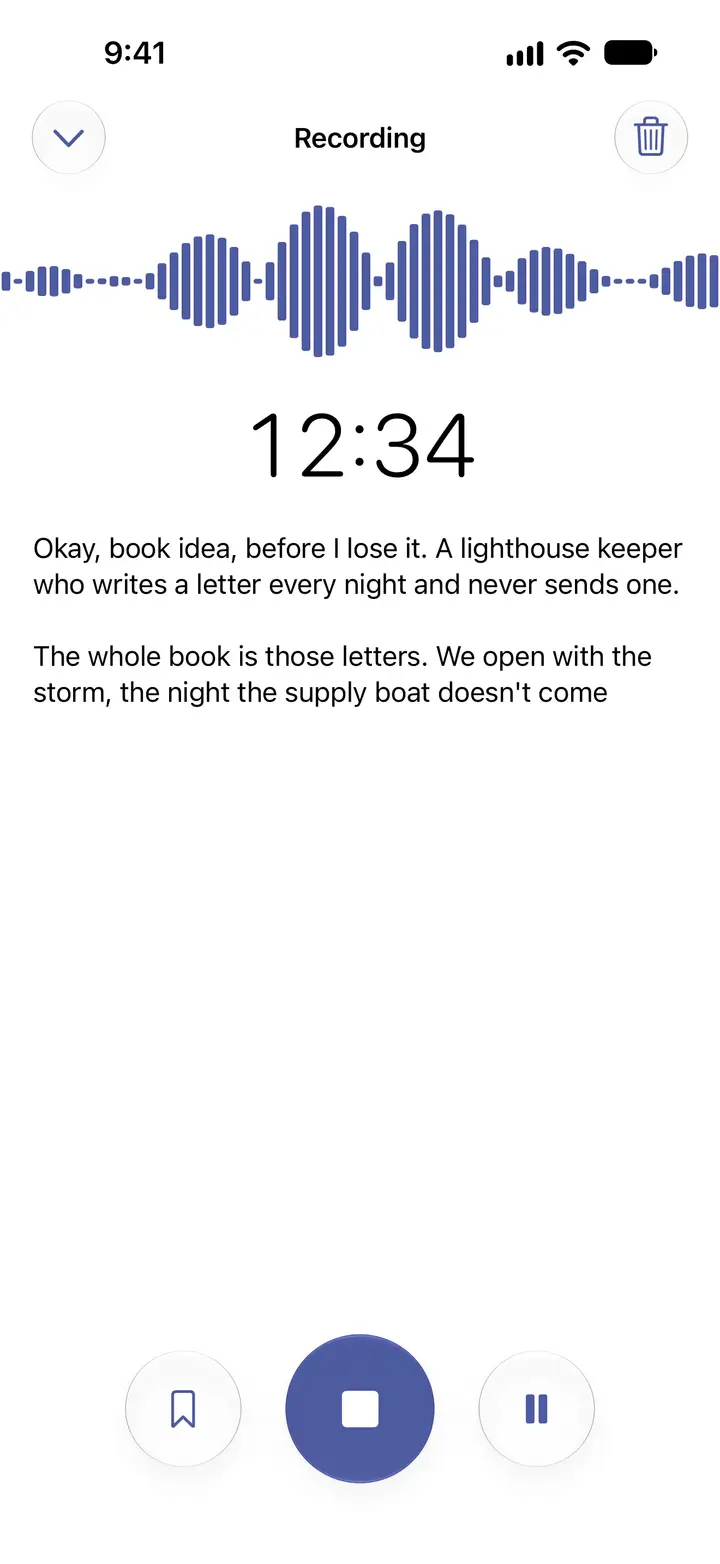
Okay, book idea, before I lose it. A lighthouse keeper who writes a letter every night and never sends one.
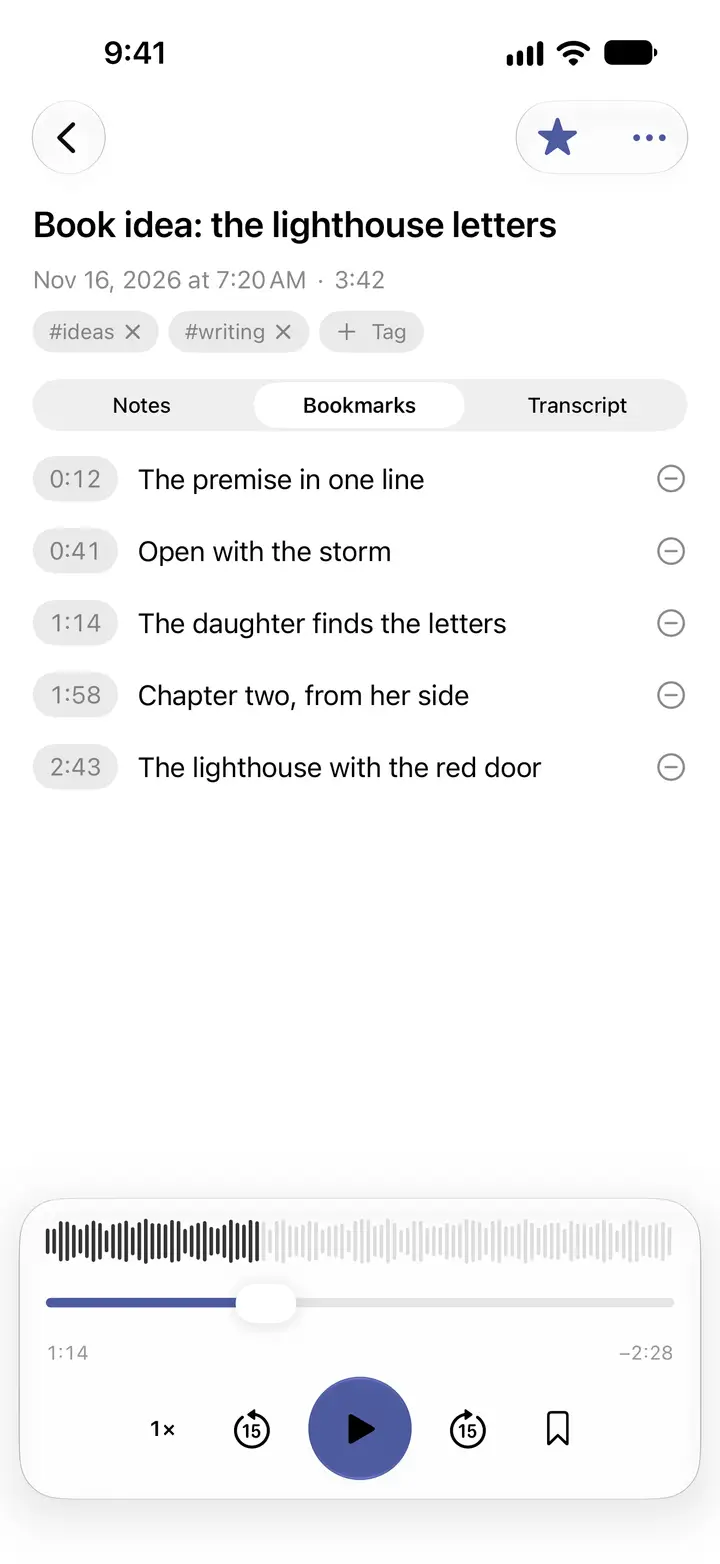
Bookmark at 0:12
A sample recording, as StillMemo writes it down.
Somewhere in “New Recording 47” is the thing you needed.
Recordings pile up as a list of dates and numbers. You remember saying it. You don't remember where. StillMemo keeps the words, so you can search for them.
From a recording to something you can find
1 Record
Think out loud. It writes along.
One tap from the bar at the bottom. It keeps recording with the screen locked, and a phone call pauses it instead of ending it.
2 Mark
Jump back to the moment.
Tap the bookmark while you record or listen. It remembers the second. One tap takes you back.
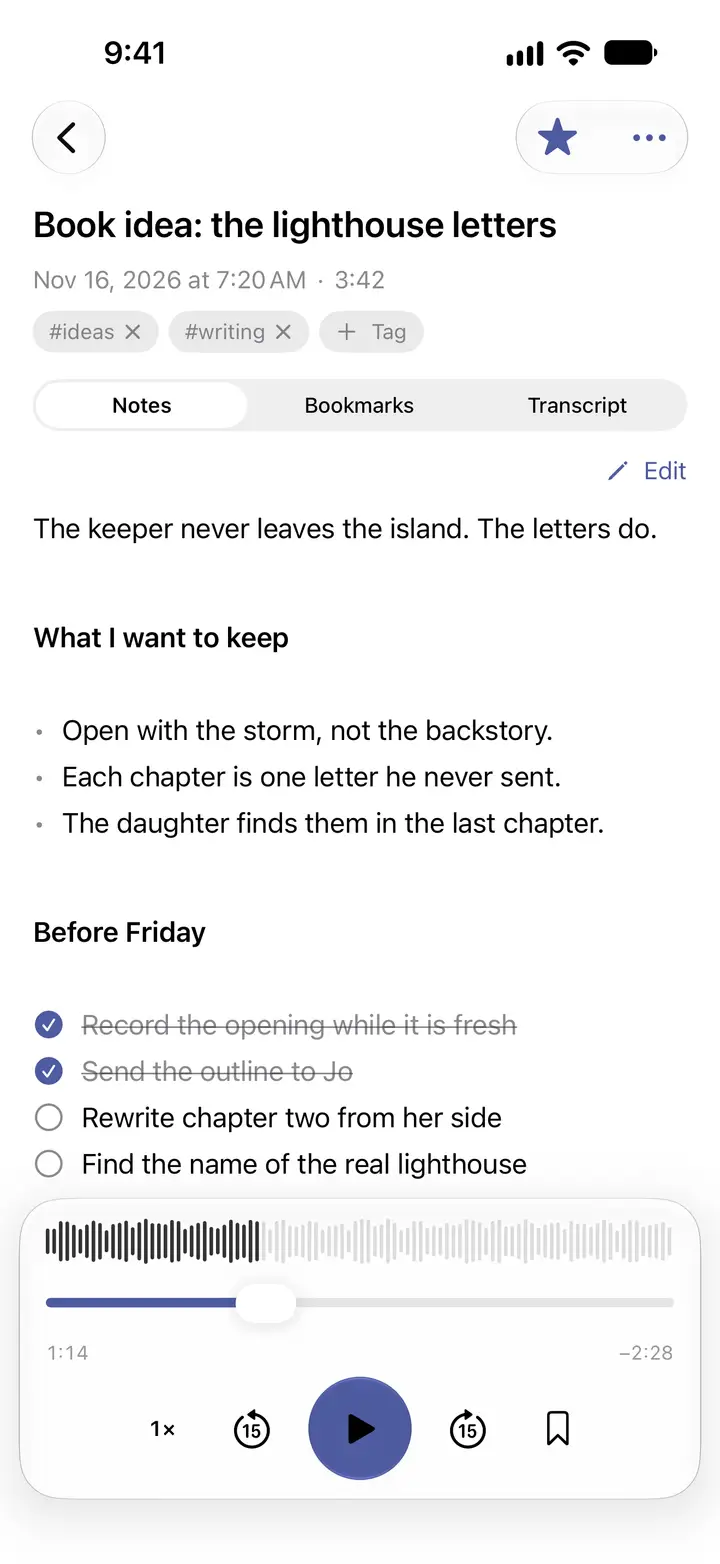
3 Write
Turn talk into a plan.
Notes sit next to the audio, in Markdown: headings, lists and checklists you can tick off.
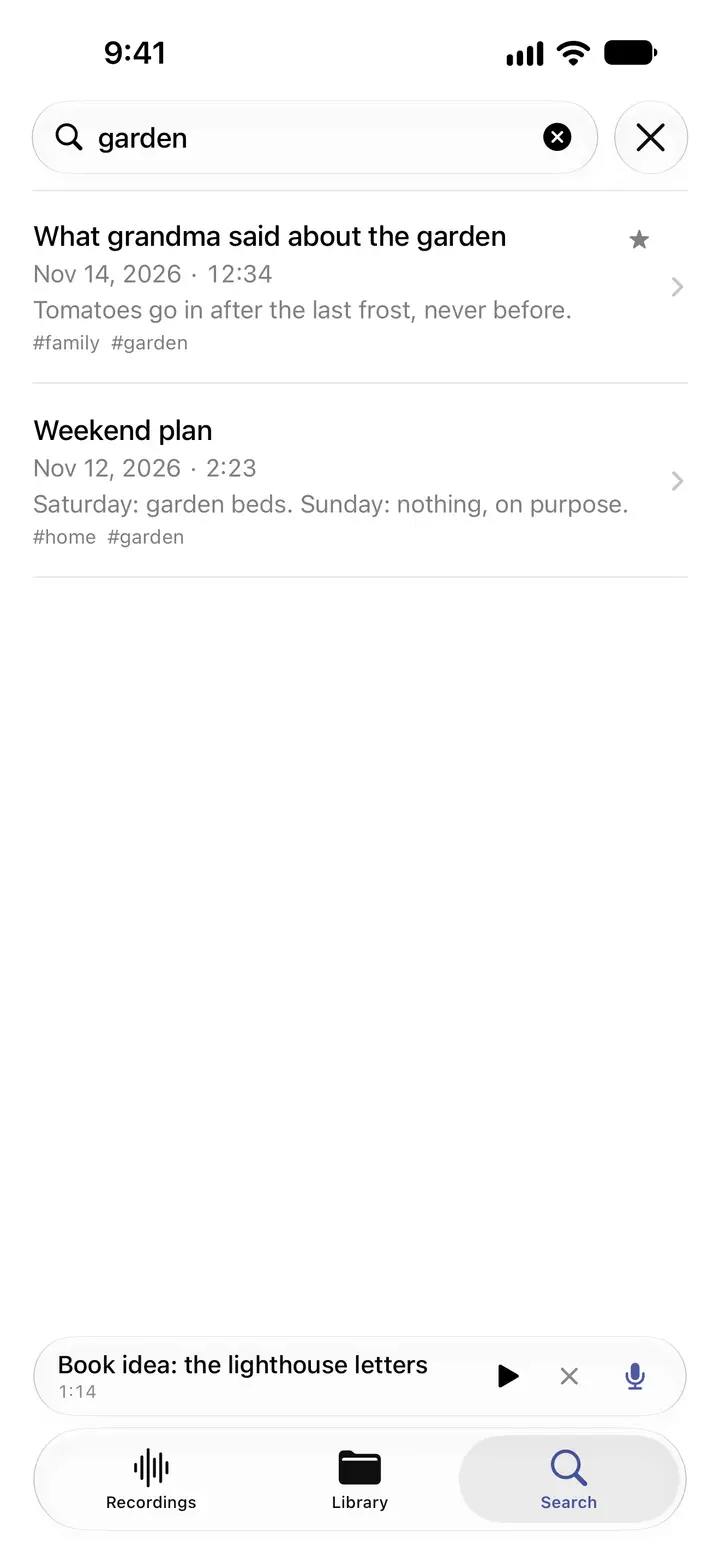
4 Find
Find what you said.
Search reads titles, notes, tags and transcripts. It ignores capitals and accents.


Transcribed on your iPhone.
StillMemo uses Apple's on-device speech recognition. The audio is never sent to a transcription service. If the language model is already on your iPhone, the words appear while you speak. If it isn't, iOS downloads it and the transcript is written right after you stop.
Languages
English (US and UK), Czech, German, French, Spanish, Italian, Portuguese (Brazil) and Japanese.
Some models, Czech among them, return text without punctuation. StillMemo puts each spoken segment on its own line, and you can edit the transcript like any other text.

What it costs, and what it collects.
Recordings, notes and transcripts are stored on your iPhone. With iCloud Sync on, they are also kept in your own private iCloud, encrypted, where the developer can't read them. You can turn sync off.
This website uses Google Analytics only if you agree in the cookie bar. Without your consent it sets no cookies.
- Price
- Free
- In-app purchases
- None
- Subscription
- None
- Account
- None
- Ads
- None
- Analytics and tracking
- None
- App Store privacy label
- Data Not Collected
Already have a full Voice Memos list?
Open a recording in Voice Memos, tap Share and choose StillMemo. It saves its own copy, which you can put in a folder, tag, pin and write notes on. The original stays exactly as it was. You can also import audio from Files.

What StillMemo doesn't do.
- It doesn't summarize recordings or answer questions about them. There is no AI assistant.
- It doesn't record phone calls or edit audio.
- It runs on iPhone only, and the interface is in English.
- It needs iOS 26.1 or later.
Small things that help.
- Start a recording with the Action button, Siri or Shortcuts.
- Listen at 0.75× to 2×, skip 15 seconds, and pick up where you stopped.
- A mini player stays at the bottom while you browse, and the Lock Screen controls work.
- Share the audio, or share your notes as Markdown text.
- Deleted recordings wait in Recently Deleted until you remove them yourself.
Questions people ask
How do I organize voice memos on my iPhone?
Apple's Voice Memos app can sort recordings into folders. If you also want notes, tags and bookmarks, open a recording in Voice Memos, tap Share and choose StillMemo. StillMemo saves its own copy, where you can move it to a folder, add tags, pin it, mark it as a favorite and write notes next to the audio. The original in Voice Memos is never changed.
Can I transcribe voice memos offline on iPhone?
Yes. StillMemo uses Apple's on-device speech recognition, so the audio stays on your iPhone. The first time you choose a language, iOS downloads Apple's speech model for it. After that the model is on your iPhone and transcription runs there.
Does StillMemo change or delete my Voice Memos?
No. StillMemo works with copies. Recordings you share from Voice Memos or import from Files are copied into StillMemo's library, and the originals stay as they were.
Which languages can StillMemo transcribe?
English (US and UK), Czech, German, French, Spanish, Italian, Portuguese (Brazil) and Japanese, through Apple's on-device models. Some languages, Czech among them, come back without punctuation, with one line for each spoken segment.
Is the StillMemo app available in my language?
The interface is in English. Transcription works in nine languages: English (US and UK), Czech, German, French, Spanish, Italian, Portuguese (Brazil) and Japanese.
Is StillMemo free?
Yes. StillMemo is free, with no in-app purchases, subscription or ads.
Do I need an account, and where are my recordings stored?
You don't need an account. Recordings, notes and transcripts are stored on your iPhone. With iCloud Sync on, they are also stored in your own private iCloud database, which the developer can't read. You can turn iCloud Sync off in StillMemo's settings.
Does StillMemo work on iPad, Mac or Android?
No. StillMemo is an iPhone app and needs iOS 26.1 or later.
Does StillMemo summarize recordings with AI?
No. StillMemo transcribes speech to text on your iPhone and lets you search it. It doesn't write summaries or answer questions about a recording.
How is StillMemo different from Voice Memos?
StillMemo adds notes, tags and bookmarks at exact seconds to each recording, and searches the transcript together with your notes. You can keep using Voice Memos and share recordings to StillMemo.
Can I start a recording with the Action button?
Yes. In iPhone Settings, open Action Button, choose Shortcut and pick StillMemo's Start Recording. You can also say "Record in StillMemo" to Siri or use it in Shortcuts.
How do bookmarks in a recording work?
Tap the bookmark button while you record or listen. StillMemo saves the second you tapped. In the Bookmarks tab you can give each one a label, and tapping its time moves the player to that moment.
Is StillMemo in the App Store yet?
Not yet. Version 1.0 is on its way to App Review.
Something else? See Support.
A little room for your thoughts.
Coming soon to the App Store
Free. No account, no ads. iPhone with iOS 26.1 or later.